Simple Ways to Reduce Household Paper Clutter
Paper clutter can build up quietly. A few envelopes on the counter can turn into a stack of bills, receipts, school notices, manuals, and documents that are difficult to sort. The good news is that you do not need a complicated filing system to regain control.
With a few simple habits, you can reduce the amount of paper entering your home, organize the documents you need to keep, and clear away papers that no longer serve a purpose.
Start With a Quick Paper Sort
Before buying folders or storage boxes, gather the paper clutter from around your home. Check kitchen counters, desks, drawers, bags, entryway tables, and other common drop zones.
Set up four basic categories:
– Action: Papers that require a response, payment, signature, or appointment
– Keep: Documents you may need to reference later
– Recycle: Papers that are no longer useful
– Shred: Documents containing private information
Work quickly rather than reading every page in detail. The goal is to create an initial system, not to make every decision perfectly. If you find papers that need more thought, place them in a temporary “review” pile and return to them after the main sorting is complete.
Create One Paperwork Station
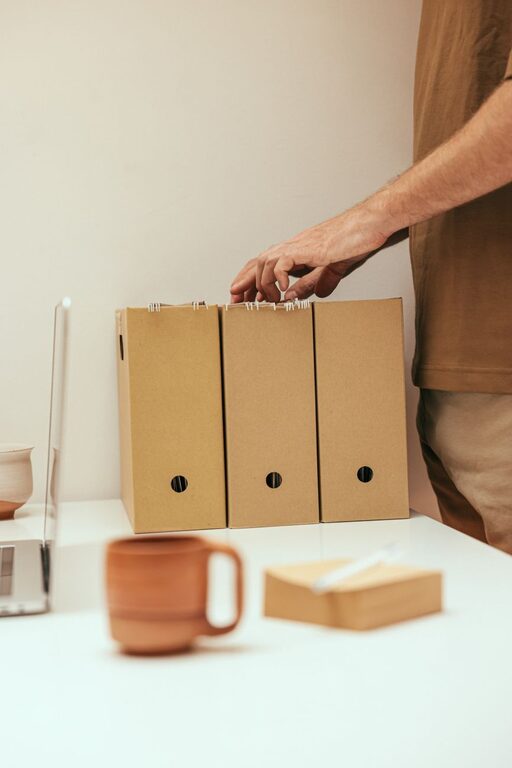
Paper clutter often spreads because there is no clear place to put it. Choose one convenient location for household paperwork. This could be a desk drawer, a shelf, a small cabinet, or a section of a home office.
Keep only the basic supplies nearby:
– A few labeled folders
– A pen
– Sticky notes
– An envelope or tray for outgoing mail
– A recycling container
– A shredder or a secure shredding bag
A single paperwork station makes it easier for everyone in the household to follow the same routine. It also prevents important papers from being left in several different rooms.
Use Simple Folder Categories
Avoid creating too many categories. A system with dozens of folders can become difficult to maintain. Start with broad labels such as:
– Bills and payments
– Home and utilities
– Insurance
– Taxes
– Medical records
– School and work
– Warranties and manuals
– Personal documents
You can add more specific folders later if a category becomes too large. For most households, broad labels make documents faster to file and easier to find.
Reduce Paper at the Source
The easiest paper to manage is paper that never enters your home. Review the mail and printed materials you receive regularly.
Consider these steps:
– Turn off unwanted catalogs and promotional mail
– Choose digital statements when the option is available
– Ask organizations to remove duplicate mailings
– Avoid taking printed receipts unless you need one
– Cancel subscriptions to magazines or newsletters you no longer read
– Request digital notices for regular appointments and services
Be selective with digital options. Electronic documents can also become cluttered if they are saved without a system. Choose a method that is convenient for you and easy to maintain.
Deal With Mail Immediately
Create a short mail routine instead of allowing envelopes to pile up. When you bring in the mail, sort it near your recycling container or paperwork station.
Open important mail right away and divide it into three groups:
- Papers that need action
- Documents that need filing
- Items that can be recycled or shredded
Remove catalogs, inserts, envelopes, and unnecessary pages as soon as possible. If a bill or notice needs attention, place it in a visible action folder rather than leaving it on a counter.
Try to process mail on the same day it arrives. Even five minutes can prevent a small stack from becoming a large one.
Set Up an Action Folder
Important paperwork is often misplaced because it is filed before the required task is complete. An action folder provides a temporary home for papers that need attention.
Use it for items such as:
– Forms that need signatures
– Bills waiting for payment
– Appointment reminders
– Return labels
– Documents requiring a phone call
– Event or school information
Check the folder once or twice a week. When an item is finished, file it, recycle it, or shred it. This keeps the folder useful without letting it become another storage area for forgotten papers.
Scan Only What You Need
Scanning can reduce physical clutter, but it works best when used selectively. Do not scan every sheet of paper automatically. Keep original documents when they are required, difficult to replace, or especially important.
For papers that can be stored digitally, use a simple folder structure on your computer or cloud storage. For example:
– Household
– Taxes
– Receipts
– Warranties
– School
– Projects
Use clear file names that include the document type and date. A name such as `Kitchen appliance warranty 2026` is easier to search than `Scan001`.
Back up important digital files and protect them with a strong password. Digital storage should make documents easier to find, not create a new maze of files.
Keep Fewer Receipts
Receipts are a common source of paper clutter. Decide which receipts are worth keeping and for how long.
You may want to keep receipts for:
– Large purchases
– Items with warranties
– Returns that have not been completed
– Work or household records you need to track
– Purchases that require proof of service
For everyday purchases, you may not need a paper copy once the transaction is complete. Create a small receipt envelope or digital folder for receipts you do need. Review it regularly and remove receipts that are no longer useful.
Handle Manuals and Warranties Carefully
Many product manuals can be found online, so there may be no reason to keep every printed booklet. Before recycling one, check whether the product information is available on the manufacturer’s website.
Keep manuals or warranty documents for items that are expensive, complicated, or still covered. Store them together in a folder labeled “Manuals and Warranties.” Write the product name on the folder or use a clear file name if you save a digital copy.
When an item is sold, donated, or discarded, remove its paperwork from your files.
Use a One In, One Out Rule
Paper storage can fill up even when you are organized. A simple one in, one out rule helps control the volume. When you add a new document to a folder, look for an older paper that is no longer needed.
This works especially well for:
– Receipts
– Utility statements
– Product manuals
– School papers
– Home maintenance records
– Personal notes
You do not need to remove something every single time, but the rule encourages regular review and prevents storage from expanding endlessly.
Schedule a Monthly Paper Reset
A small monthly reset is easier than a major cleanup once a year. Choose a regular day to review your paperwork station.
During the reset:
– Empty the recycling and shredding piles
– File documents from the action folder
– Remove outdated papers
– Review receipts and warranties
– Clear your mail tray
– Check whether any digital files need better names or folders
Set a timer for 15 or 20 minutes. A short, consistent routine is usually more effective than waiting until the clutter feels overwhelming.
Keep the System Easy
The best paper organization system is one you will actually use. Keep folders easy to reach, labels simple, and supplies nearby. If filing takes too many steps, papers will likely return to the counter.
Start with the smallest system that solves your problem. Once your paperwork has a clear destination, your home will feel less crowded and important documents will be easier to locate. A few daily decisions, combined with a short weekly or monthly review, can keep paper clutter under control for the long term.